
Getting started · Standard
What can I order?
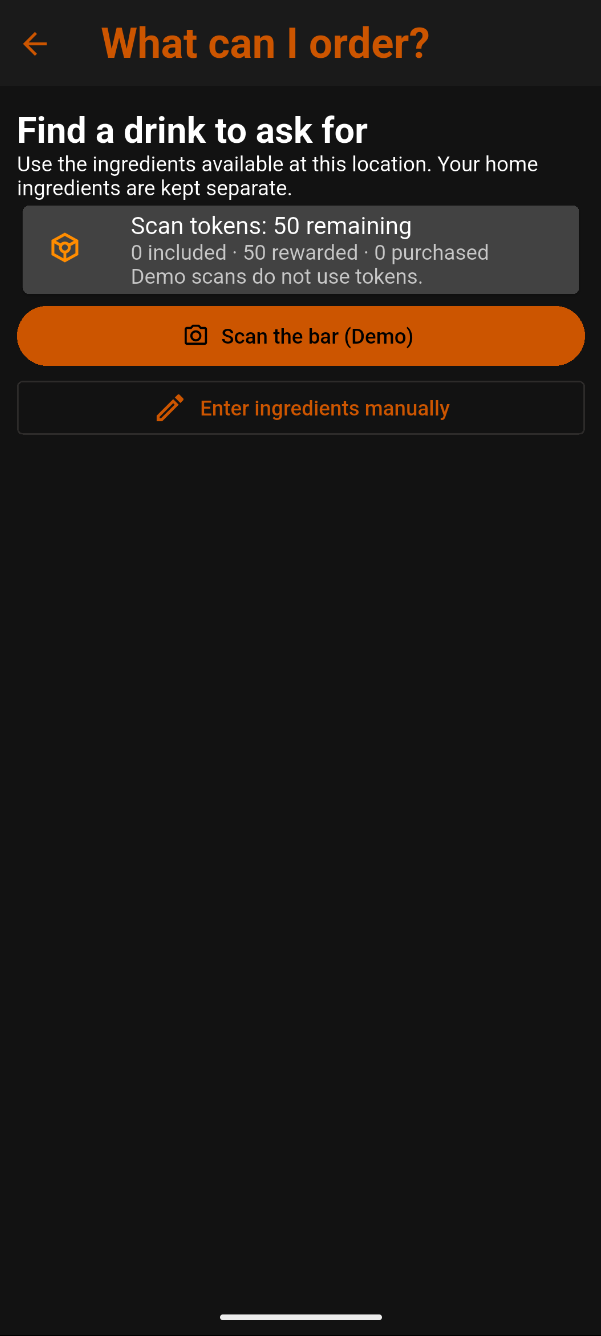
Find drink ideas to ask for at a bar, restaurant, or another location using the ingredients available there.
Keep location ingredients separate
Ingredients entered here are kept separate from your home ingredients. Exploring drinks at a venue does not change your saved bar inventory.
Choose how to enter ingredients
- Scan the bar (Demo): Explore the scanning workflow using sample results while AI scanning is under development. Demo scans do not use scan tokens.
- Enter ingredients manually: Select the ingredients available at this location.
The Scan tokens panel shows your remaining balance. In this example, it shows 50 remaining.
Tap the back arrow to return to the previous screen.
Enter location ingredients manually
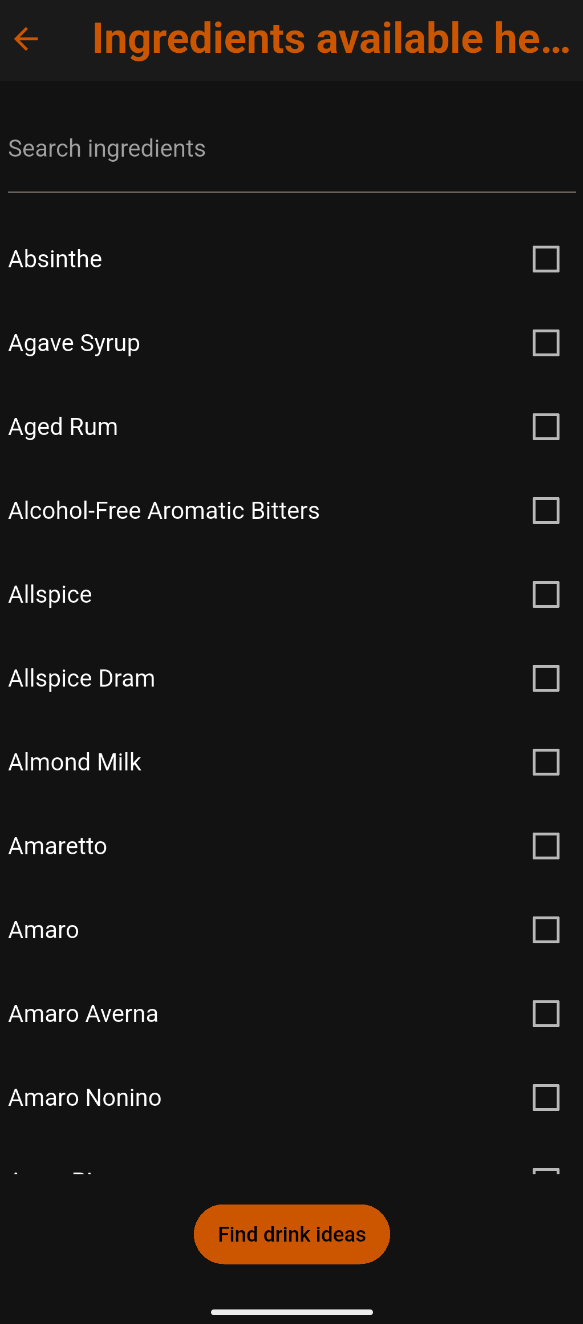
Tap Enter ingredients manually to open the ingredient list.
Use Search ingredients or scroll through the list. Tick the checkbox beside each ingredient available at the location.
When you’re finished, tap Find drink ideas.
Current beta experience
Manual entry is available now, though selecting a venue’s ingredients individually can take some time. Start with bottles and mixers you can identify or confirm with the bartender.
AI photo recognition is still under development. Scan the bar (Demo) uses sample results; it does not identify the bottles in your photo.
Explore the possibilities
Find a drink to ask for
CocktailScan suggests drinks based on the ingredients you confirm. Discuss these ideas with the bartender; they do not confirm that a drink is on the venue’s menu or available to order.