
Getting started · Standard
Make CocktailScan work for you.
Tap the gear icon on the main menu to open Settings. Customize your menu, focus your recipe view, and choose the drinks you want to see.
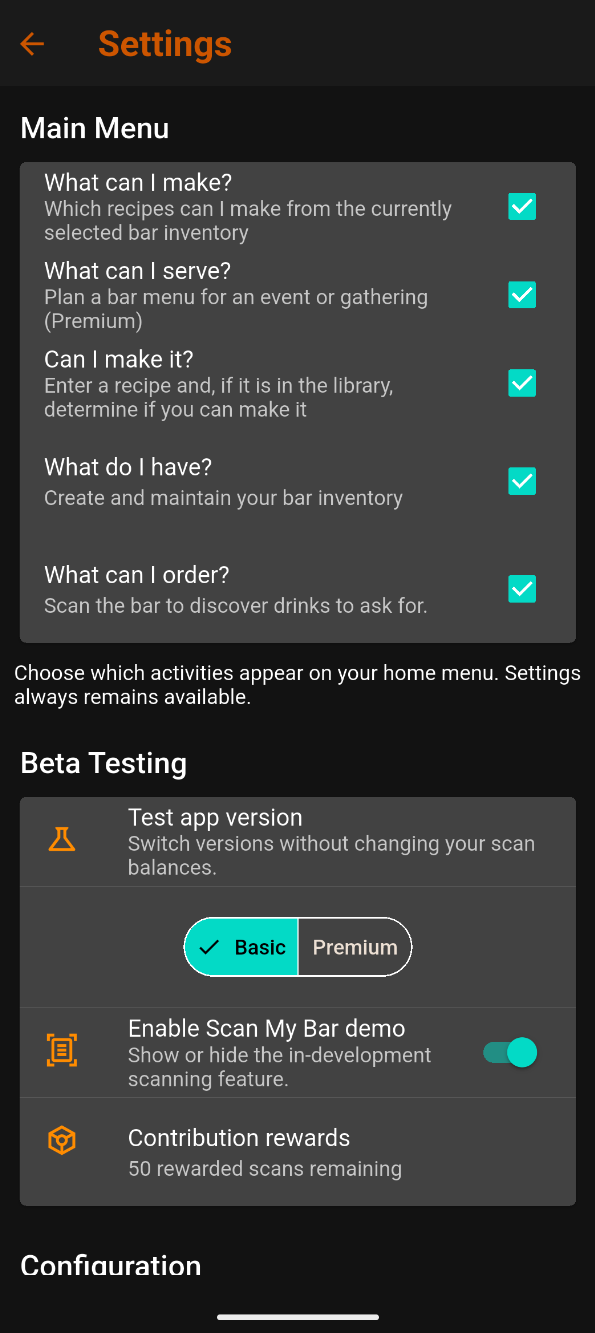
Customize your main menu
Check or uncheck activities to choose which appear on your home menu. Settings always remains available.
What Can I Serve? is a Premium activity.
Beta testing controls
- Test app version: Switch between Standard and Premium for testing without changing your scan balance. The current app labels Standard as Basic.
- Enable Scan My Bar demo: Show or hide the scanning feature while it is under development.
- Contribution rewards: View the displayed rewarded scan balance.
AI scanning is still under development. Demo scans use sample results and do not consume the displayed scan balance.
You can use the app’s manual features without scan credits. Scanning costs and rewards will be explained when the live service is ready.
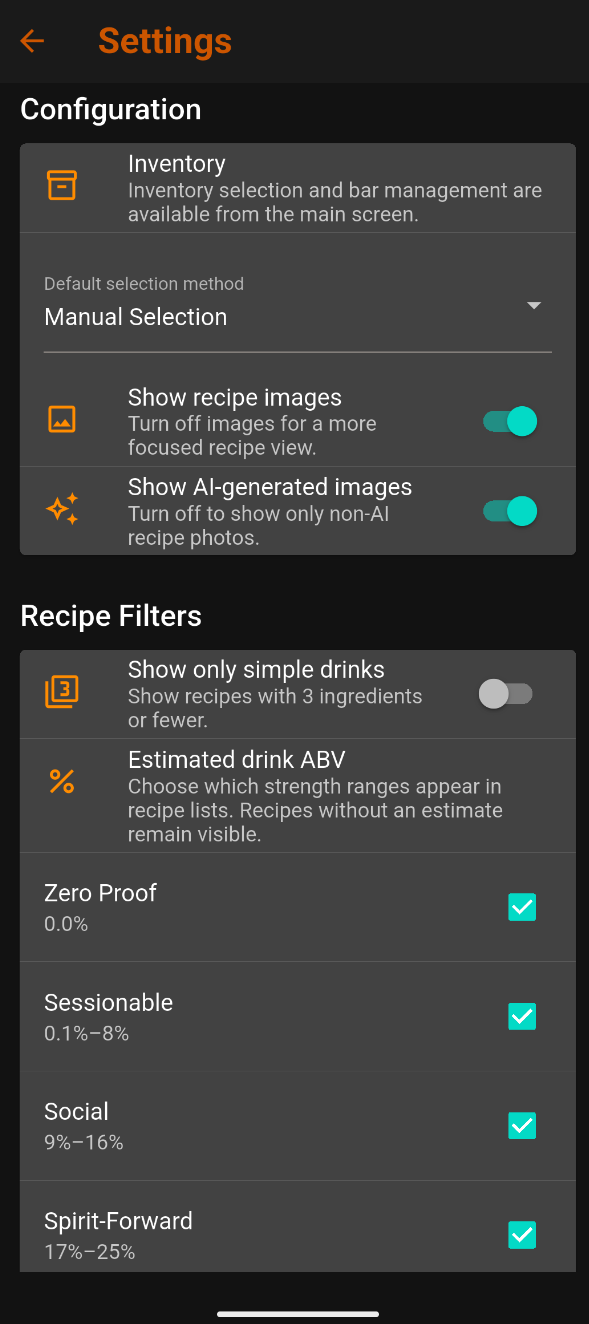
Configuration
Inventory selection and bar management are available from the main screen.
- Default selection method: Choose your preferred method for selecting ingredients.
- Show recipe images: Turn off all recipe photos for a focused recipe view.
- Show AI-generated images: Turn off only AI-generated photos while allowing other photos to appear.
These image controls are separate. Turning off all recipe images hides every photo; turning off AI-generated images hides only those photos.
Recipe filters
Show only simple drinks limits results to recipes with three ingredients or fewer.
Under Estimated drink ABV, choose the strength ranges shown in recipe lists:
| Category | Estimated ABV |
|---|---|
| Zero Proof | 0.0% |
| Sessionable | 0.1%–8% |
| Social | 9%–16% |
| Spirit-Forward | 17%–25% |
| Stiff | 26%+ |
Recipes without an ABV estimate remain visible.
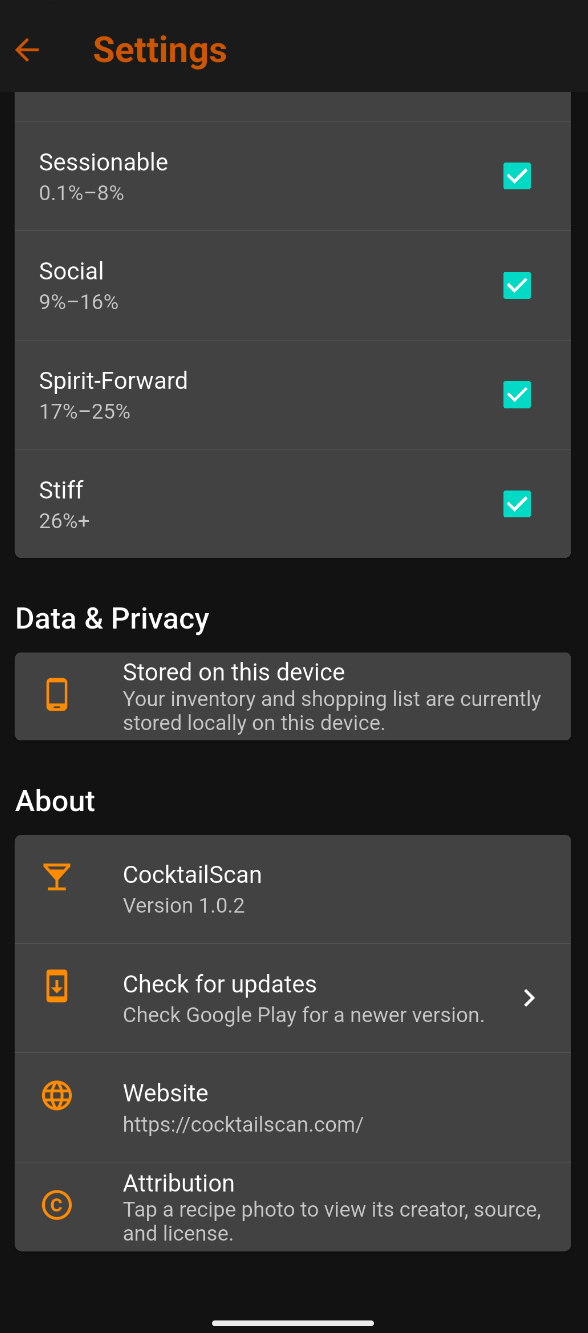
Data & Privacy
Your inventory and shopping list are currently stored locally on your device.
About
Find your installed app version, check Google Play for updates, or open the CocktailScan website.
For photo attribution, tap a recipe photo to view its creator, source, and license.
The screenshots show an example beta version; your installed version may differ.
Use the back arrow to return to the previous screen.
Standard tutorial complete
You’re ready to explore your bar.
Select your ingredients, discover drinks, plan purchases, and explore the Library. Keep your inventory current and adjust Settings to suit how you use CocktailScan.